Virtual Dispatcher
Virtual Dispatcher is an AI assistant you talk to from your radio. You reach it with a private call and sign in by voice, then ask it what you need.
Start a call
Section titled “Start a call”- Press the V-ARI Virtual Dispatcher button on the left side of your radio. This starts a private call to Virtual Dispatcher.
- Immediately press and hold the PTT button and talk.
- Release PTT to listen to the reply.
Throughout the call, hold PTT while you speak and release it to listen, as on any radio call.
The V-ARI Virtual Dispatcher button is the first button directly below the push-to-talk (PTT) button, the large button on the left side of the radio that you hold to talk. The R7, with or without a display:
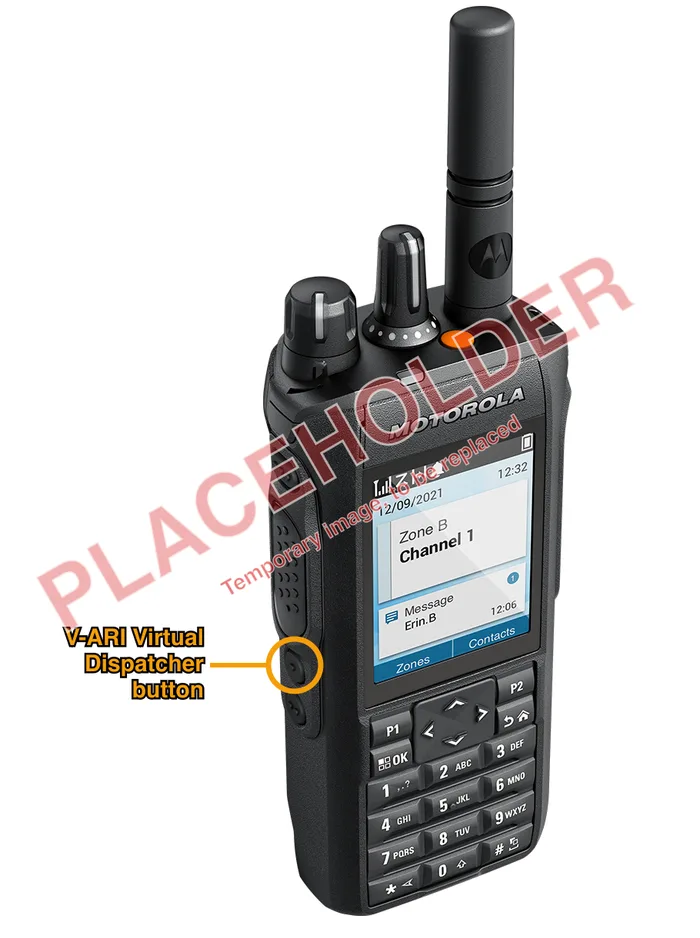
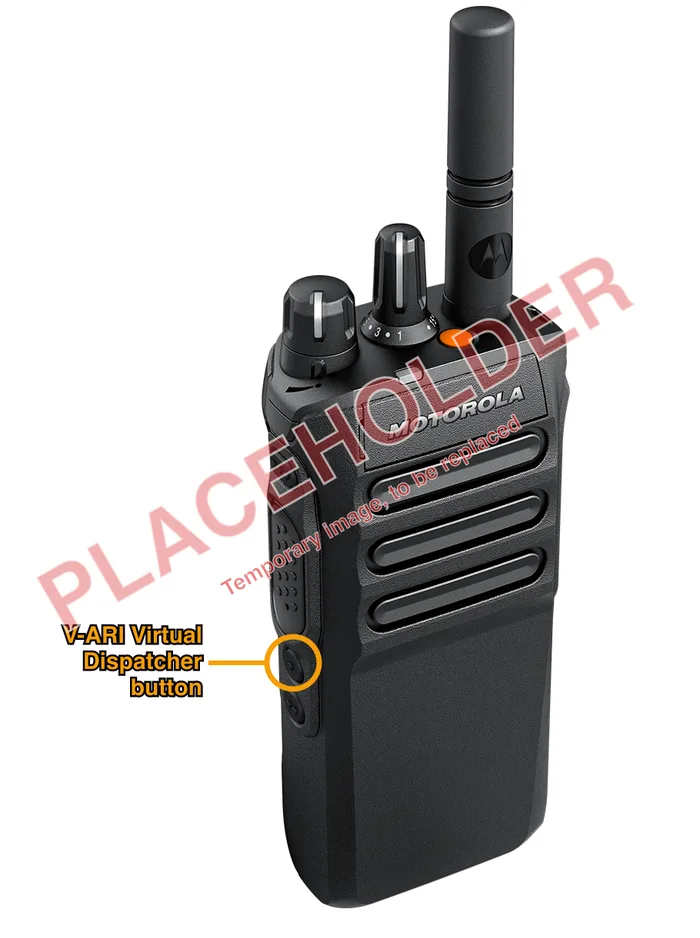
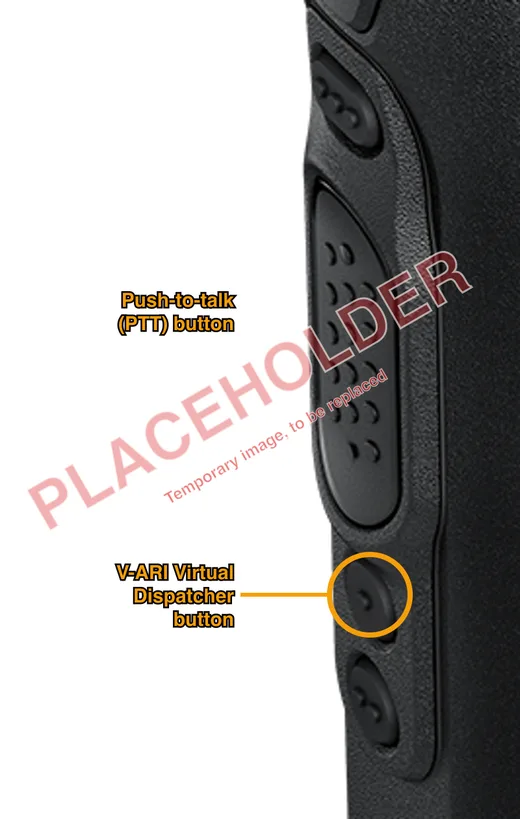
The XPR 7000e series:
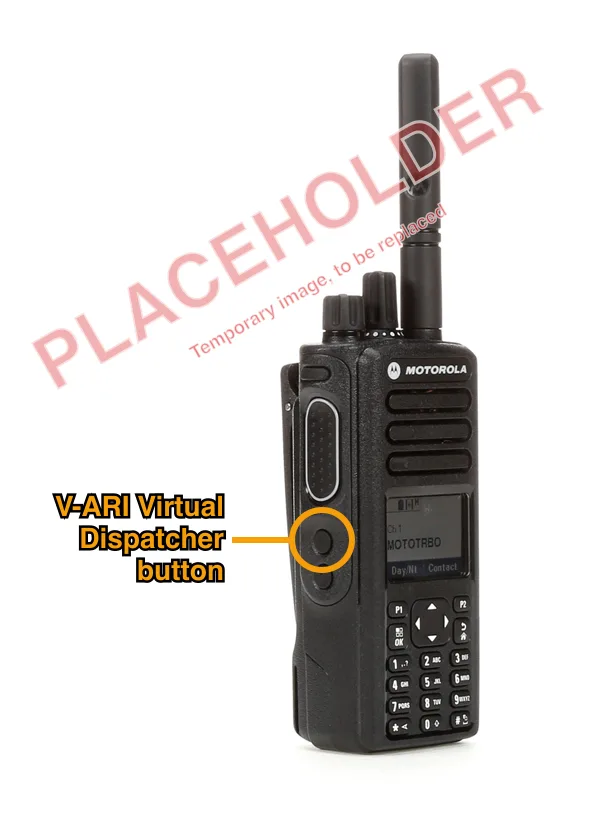
Sign in
Section titled “Sign in”Before Virtual Dispatcher can help, you sign in to your radio.
- Say your name (hold PTT) when the voice prompt asks for it.
- If you are asked for a code, give the current code from your key fob or authenticator app. Only organizations that have turned on multi-factor sign-in ask for this; most do not.
- Accept the AI warning. The voice prompt reads a warning about talking to an AI. Say “I understand” to continue.
What you can ask
Section titled “What you can ask”Once you are signed in, you can:
- Ask general questions.
- Complete form entries.
- Create tickets.
What else is available depends on what your organization has set up.